
Estimated reading time: 8 minutes
The “mountain of footage” is not a metaphor. For documentary filmmakers, staring at 100+ hours of raw media, the path to a finished film feels invisible. Without a rigorous documentary video editing workflow, the “magic” of discovery quickly becomes a logistical nightmare. Professional editors don’t just “find” the story — they build a system that allows the story to reveal itself.
This guide explains exactly how, step by step, based on real long-form post-production practice.
Key Takeaways (For Busy Editors)
- Organize by Metadata: Use scene, subject, and keyword tags — not just folder names.
- Transcribe Everything: AI-driven transcription is now a mandatory first step for interview-heavy films.
- The Selects Method: Distill 100 hours into a curated Best Of reel before touching your main timeline.
- Proxy Workflow: Always use low-res proxies to maintain NLE speed across massive libraries.
- Structure First: Build a Radio Edit focused on audio before fine-tuning any visuals.
Table of contents
- Key Takeaways (For Busy Editors)
- Best Picks by Scenario: Quick Workflow Guide
- Step 1 — Ingest & File Architecture
- Step 2 — How to Organize Documentary Footage Using Metadata
- Step 3 — Managing Interview Transcripts in Post
- Step 4 — Documentary Editing Software Workflow: Choosing Your Engine
- Step 5 — Story Structure for Documentary Editing
- Step 6 — Documentary Editing Timeline Best Practices
- Step 7 — Security, Storage & Remote Workflows
- Technical Glossary
- FAQs
- Conclusion
Best Picks by Scenario: Quick Workflow Guide
| If You Have… | Use This Workflow |
| Multiple editors / remote team | Shared NAS + Frame.io for proxy-only remote access |
| 40+ interview hours | AI transcription (Descript/Otter.ai) + text-based editing |
| Limited storage | Strict proxy workflow; 4K masters on cold storage |
| 5+ characters or storylines | Keyword Collections per character in your NLE |
| Tight deadlines | Pre-built bin templates + Selects reels before main timeline |
Step 1 — Ingest & File Architecture
Bad ingest decisions compound chaos for months. Get this right before a single clip is viewed.
Your documentary video editing workflow begins on a NAS (Network Attached Storage) or high-speed RAID array, not inside your NLE. Professionals use checksum verification tools like Hedge or Silverstack during offload to ensure every byte is accounted for.
Standardized Folder Structure
- 01_Footage — Sub-divided by Camera (Cam A, Cam B, Drone) and Shoot Date
- 02_Audio — External recorders, lavs, and wild tracks
- 03_Proxies — Low-res H.264/H.265 copies for smooth playback
- 04_Transcripts — Word docs and SRT files synced to timeline
- 05_Project_Files — NLE saves, auto-backups, and versioned exports
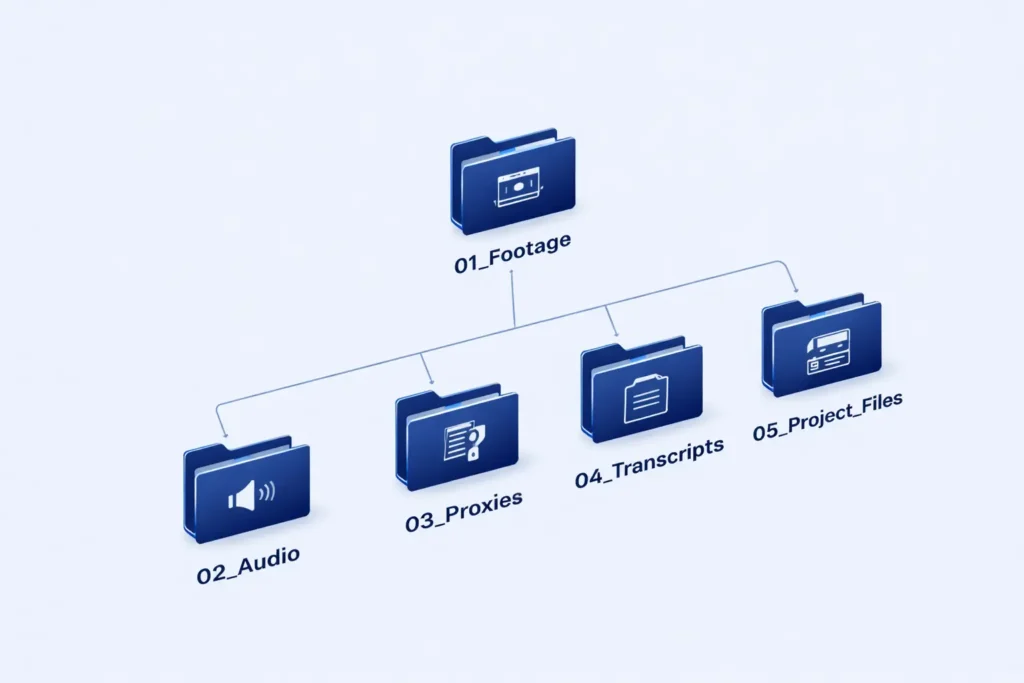
Critical rule: mirror the camera card structure. Never rename original files. Create read-only masters and generate proxies immediately. Logging shoot days as folders — not scenes — prevents relinking errors and supports long timelines spanning months.
Step 2 — How to Organize Documentary Footage Using Metadata
Bins should answer editorial questions, not technical ones. Think like a storyteller, not a camera assistant.
Professional Bin Logic
- Interviews → by subject, not shoot day
- B-roll → by theme and emotional beat, not location
- Verité → by event sequence
- Archival → by rights clearance and source
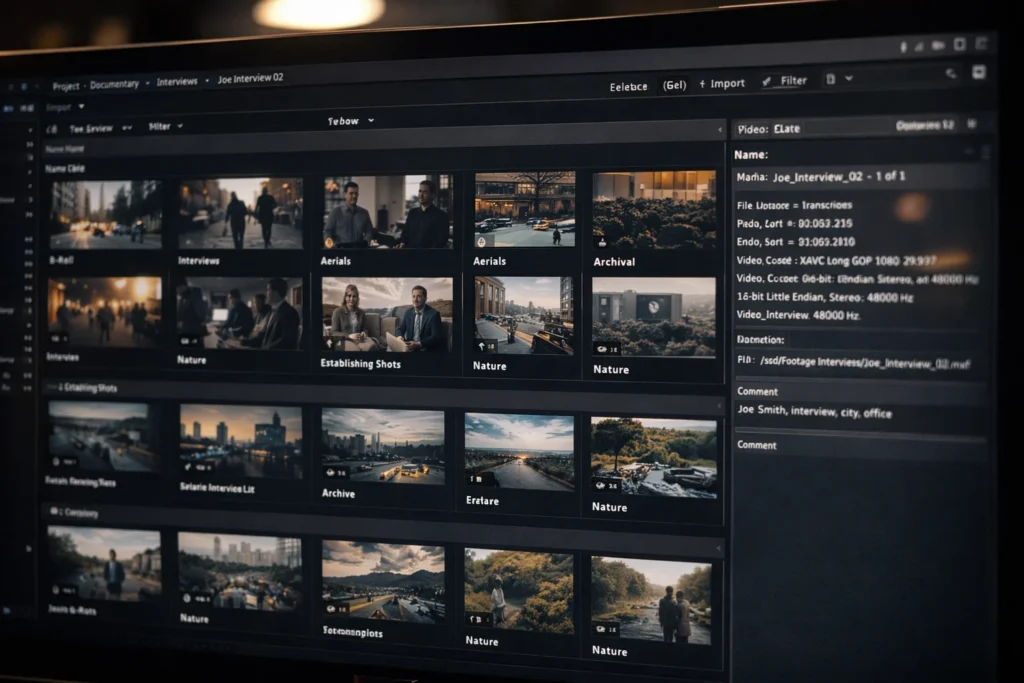
Tag each clip with: Character Name, Location, Emotional Beat (Conflict, Resolution, Backstory), and Technical Quality (Focus Issue, Best Take). Modern NLEs support extensive metadata entry, turning a static file list into a searchable database.
“The biggest failure point in long-form editing is the ‘Misc’ folder. If you don’t know where it goes now, you’ll never find it when you’re 4 months deep into the edit.” — Nree Productions Lead Editor
Step 3 — Managing Interview Transcripts in Post
Transcripts replace memory and guesswork. They are the single biggest speed multiplier in documentary editing.
Managing interview transcripts in post is the bridge between production and story. The paper edit is now digital. According to a 2025 Industry Report by Post-Perspective, approximately 82% of documentary editors now use AI-integrated transcription tools to reduce logging time by up to 60%.
Professional Transcript Workflow
- Transcribe every interview verbatim using tools like Descript or Otter.ai
- Sync text to the timeline inside your NLE
- Highlight emotional beats, key arguments, and turning points in the transcript
- Build your Selects reel from text — not from re-watching video
- Assemble scene logic on paper before touching the timeline
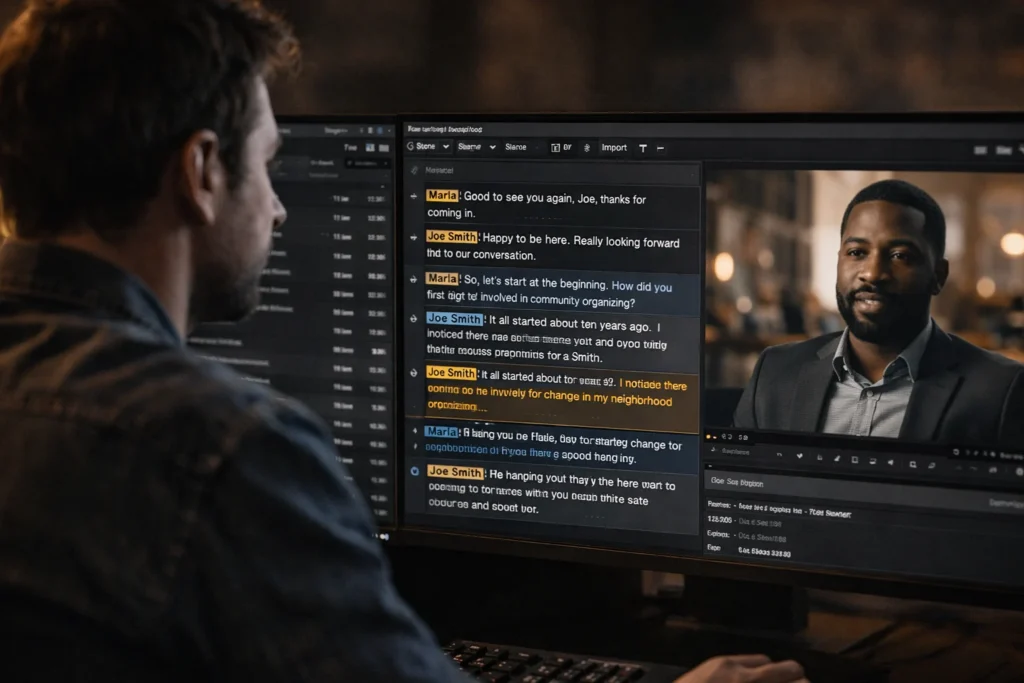
This is how 40 interview hours become a coherent story. Text-based editing in Premiere Pro, Resolve, and Avid means you can literally cut by deleting words.
Step 4 — Documentary Editing Software Workflow: Choosing Your Engine
Software choice matters less than workflow discipline. For 100+ hours, stability beats flashy features.
| Feature | Adobe Premiere Pro | DaVinci Resolve | Avid Media Composer |
| Organization | Productions (Excellent) | Smart Bins (Top Tier) | Bin Locking (Industry Std) |
| Performance | Good with Proxies | Best (GPU Accelerated) | Bulletproof Stability |
| Transcription | Native Text-Based Edit | Native AI Transcription | ScriptSync (Paid Add-on) |
| Best For | Interview-heavy docs | Color-critical projects | Large broadcast teams |
Frame.io integrates with all three NLEs for proxy-only remote collaboration, making it the standard for distributed teams. For AI-assisted transcription inside a timeline, Descript handles rapid Radio Edits and rough cuts efficiently.
Step 5 — Story Structure for Documentary Editing
Structure lives on paper first. Never ‘discover the story’ inside a 6-hour timeline.
Developing a story structure for documentary editing requires a distillation process. Most professionals follow three phases before locking a cut:
- The Assembly — Lay out all usable footage organized by theme
- The Rough Cut — The ‘Kitchen Sink’ version where story logic is tested
- The Fine Cut — Where pacing, rhythm, and emotional resonance are shaped
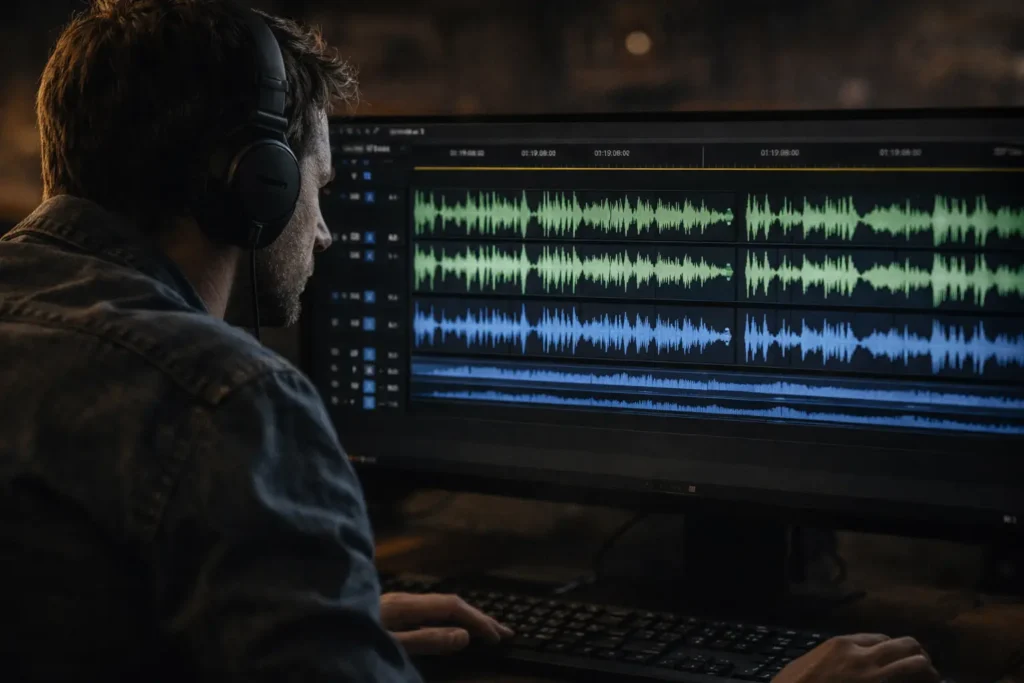
The Radio Edit Technique
Professional editors often hide all video tracks and focus solely on the audio. If the story doesn’t work as a podcast — if the logic, emotion, and pacing fall flat without visuals — no amount of beautiful B-roll will save it. Solve audio first. This is the most underrated documentary editing timeline best practice.
Step 6 — Documentary Editing Timeline Best Practices
Long timelines must stay modular. A messy timeline leads to a messy mind.
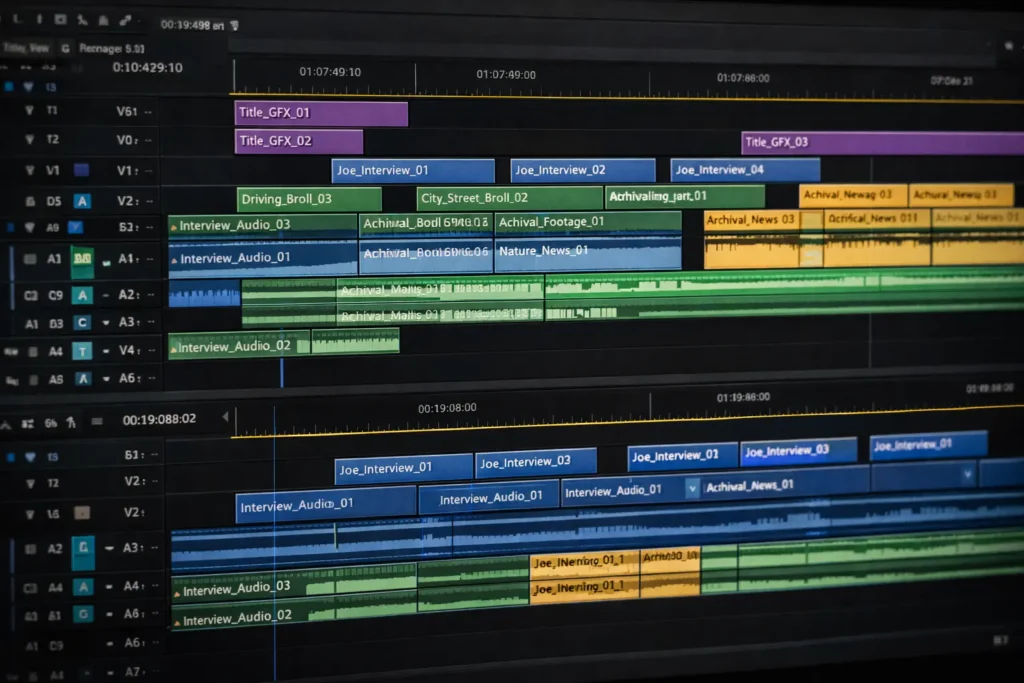
- Pancake Editing: Stack two timelines. Top is your Selects reel; bottom is your Master. Drag the gold from top to bottom.
- Color Coding: Interviews (Blue), B-roll (Green), Archival (Yellow), Graphics (Purple) — consistently across every cut.
- Versioning: Never save over an old cut. Use FilmTitle_v01, FilmTitle_v02. A 120-minute documentary can reach 300+ timeline revisions.
- Scene-Level Sequences: One scene per sequence, one act per timeline. Modular structure prevents corruption, confusion, and editor burnout.
Step 7 — Security, Storage & Remote Workflows
Organization includes data safety. Implement the 3-2-1 rule: 3 copies, 2 media types, 1 stored offsite.
In a modern documentary video editing workflow, editors and directors are rarely in the same room. SOC 2 compliant cloud storage protects sensitive subjects and footage. For large shoot days (200GB+), use latency-optimized transfer protocols like Signiant or SFTP to avoid corrupted uploads.
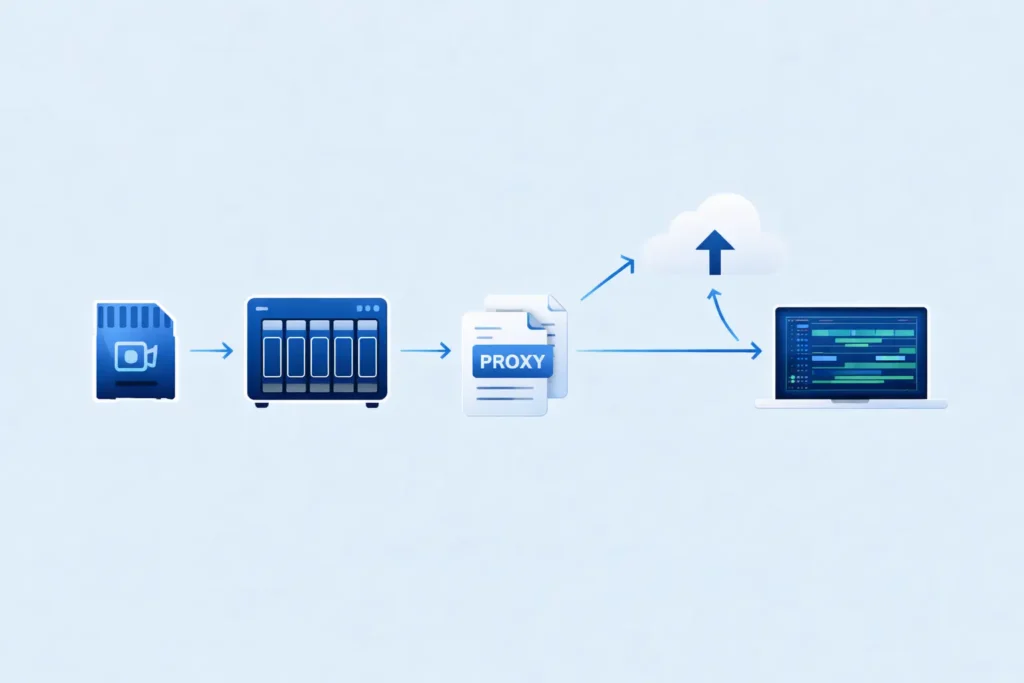
For remote editors on limited bandwidth, proxy-only access via Frame.io eliminates the need to transfer 4K masters entirely.
Not sure whether to edit in-house or offshore? See our breakdown of video editing rates.
Technical Glossary
- Proxy — A low-resolution copy of footage used to speed up editing, even with 8K source files.
- Checksum — A mathematical value verifying a file was copied 100% accurately during offload.
- NAS — Network Attached Storage; a dedicated server for sharing video files across a team.
- Selects Reel — A curated timeline containing only the best moments from a shoot day or theme.
- Dailies — Raw, unedited footage shot each day, reviewed before the next shoot.
- NLE — Non-Linear Editor; the software used to edit video (Premiere, Resolve, Avid).
FAQs
By combining structured bins organized by subject and theme, metadata tagging with emotional beats and character names, and transcript-driven editing that allows story assembly before touching the timeline.
AI-driven transcription paired with text-based editing in your NLE. Descript and Otter.ai cut logging time by up to 60%. Build Selects reels from transcripts, not by rewatching footage.
Yes — but only once, with simultaneous metadata tagging that eliminates the need to ever rewatch the same clip again.
Avid Media Composer remains the choice for massive, stability-critical projects. Premiere Pro and DaVinci Resolve are excellent for teams prioritizing transcription speed and color integration, respectively.
Yes, especially for remote teams and long-form projects with 4K or 6K source files. Proxies keep your NLE responsive and enable collaboration without transferring massive media.
Conclusion
Organizing 100+ hours of footage is less about creativity and more about disciplined architecture. By implementing a rigorous documentary video editing workflow — with AI-driven transcripts, metadata tagging, and modular timelines — you transform a mountain of media into a manageable, story-ready pipeline.
The story is in there. Your job is to build the system to find it.
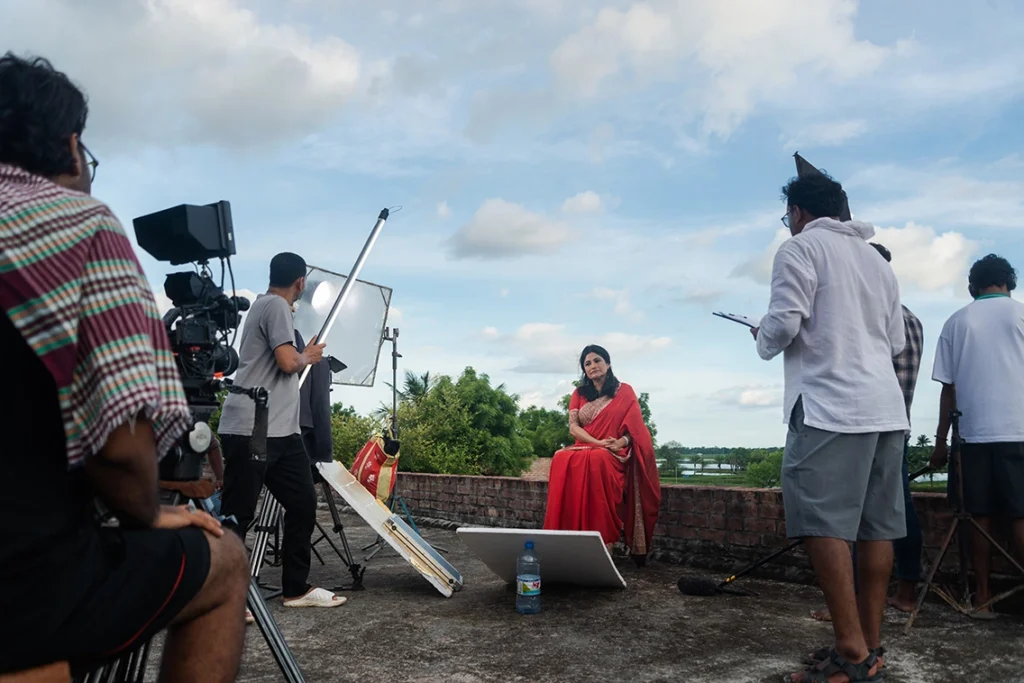
At Nree Productions, we specialize in high-stakes, long-form storytelling. Whether you’re drowning in dailies or need a professional partner to guide your post-production pipeline, we provide the expertise to bring your vision to life.
You may also like our guide on: The Art of the Interview: Crafting Questions that Drive the Narrative
